
Web application development has undergone a major transformation in recent years thanks to artificial intelligence. Developers are no longer limited to writing code manually. AI has become a real partner in planning, coding, testing, debugging, deployment, and performance optimization.
Whether you are a beginner looking for tools to learn faster, or a professional aiming to boost productivity and reduce errors, AI tools for web development offer practical solutions that make a real difference.
Best AI Tools for Web Application Development
1️⃣ Hostinger Horizons – No-Code Web App Builder
Hostinger Horizons is one of the most powerful AI-powered no-code platforms. It allows users to build fully functional web applications without writing a single line of code.
You simply describe your idea in natural language, and AI transforms it into a user interface, business logic, and a ready-to-publish hosted application.
- ✅ Built-in hosting, domain, and email
- ✅ One-click deployment
- ❌ Limited customization for very complex apps
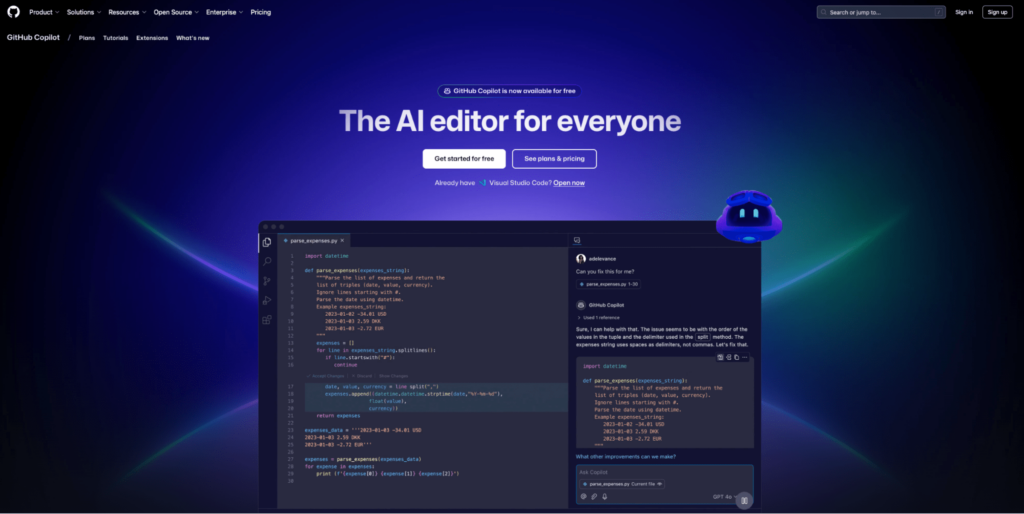
2️⃣ GitHub Copilot – AI Coding Assistant
GitHub Copilot is an AI-powered coding assistant built on OpenAI models. It integrates directly with VS Code and JetBrains IDEs.
Copilot suggests intelligent completions for lines, functions, and sometimes entire files based on context and developer comments.
- ✅ Significantly speeds up coding
- ✅ Supports multiple programming languages
- ❌ Requires continuous human review
3️⃣ Tabnine – Privacy-Focused AI Coding
Tabnine focuses on AI code completion with the option to run locally. This makes it a preferred choice for companies concerned about code privacy.
- ✅ Works offline
- ✅ Suitable for teams and enterprises
- ❌ Weaker natural language understanding
4️⃣ Amazon Q Developer – AWS Application Development
Amazon Q Developer is designed specifically for developers working within the AWS ecosystem. It assists with code generation, Infrastructure as Code, performance optimization, and security issue detection.
- ✅ Ideal for cloud-based applications
- ✅ Supports Terraform and CloudFormation
- ❌ Limited outside AWS
5️⃣ Devin AI – Semi-Autonomous Software Engineer
Devin AI represents a major shift in AI development tools. It can execute complete programming tasks from analysis to deployment.
- ✅ Full task automation
- ✅ Code analysis and refactoring
- ❌ High cost
6️⃣ Replit Ghostwriter – Cloud-Based Development
Replit Ghostwriter works inside Replit’s cloud environment, making it ideal for learning and rapid prototyping.
- ✅ No local setup required
- ✅ Beginner-friendly
- ❌ Limited to the Replit platform
7️⃣ Continue for VS Code – Open Source Assistant
Continue is an open-source VS Code extension that offers contextual code completion and refactoring features.
- ✅ Free and open source
- ✅ Helpful for improving existing code
- ❌ Some advanced features are paid
8️⃣ Qodo (Codium) – Testing and Code Quality
Qodo focuses on generating unit tests and detecting issues before production.
- ✅ Improves code quality
- ✅ Detects security vulnerabilities
- ❌ Sometimes requires manual review
9️⃣ Codiga – Code Analysis and Security
Codiga provides real-time code analysis with suggestions for improving security and coding standards.
- ✅ CI/CD integration
- ✅ Supports multiple languages
- ❌ Occasional false positives
🔟 Bolt.new – Rapid Prototyping
Bolt.new is suitable for quickly creating web app prototypes, but it is not ideal for large-scale projects.
1️⃣1️⃣ Lovable – User Experience Personalization
Lovable focuses on analyzing user behavior and personalizing interfaces to improve engagement and user experience.
AI tools have reshaped the future of web application development. From no-code platforms to security analysis and testing tools, developers can now build faster, safer, and more cost-effective applications.
The right choice depends on project size, complexity, security requirements, and scalability needs.
Note: This article is a translated and adapted version for informational purposes.